Welcome. This is the first of six short guides that take you from signing up to a live assistant answering your calls. Creating your account is free — no card, no trial clock. You pay only when you pick a plan on the last screen and take your assistant live.
Create your free account
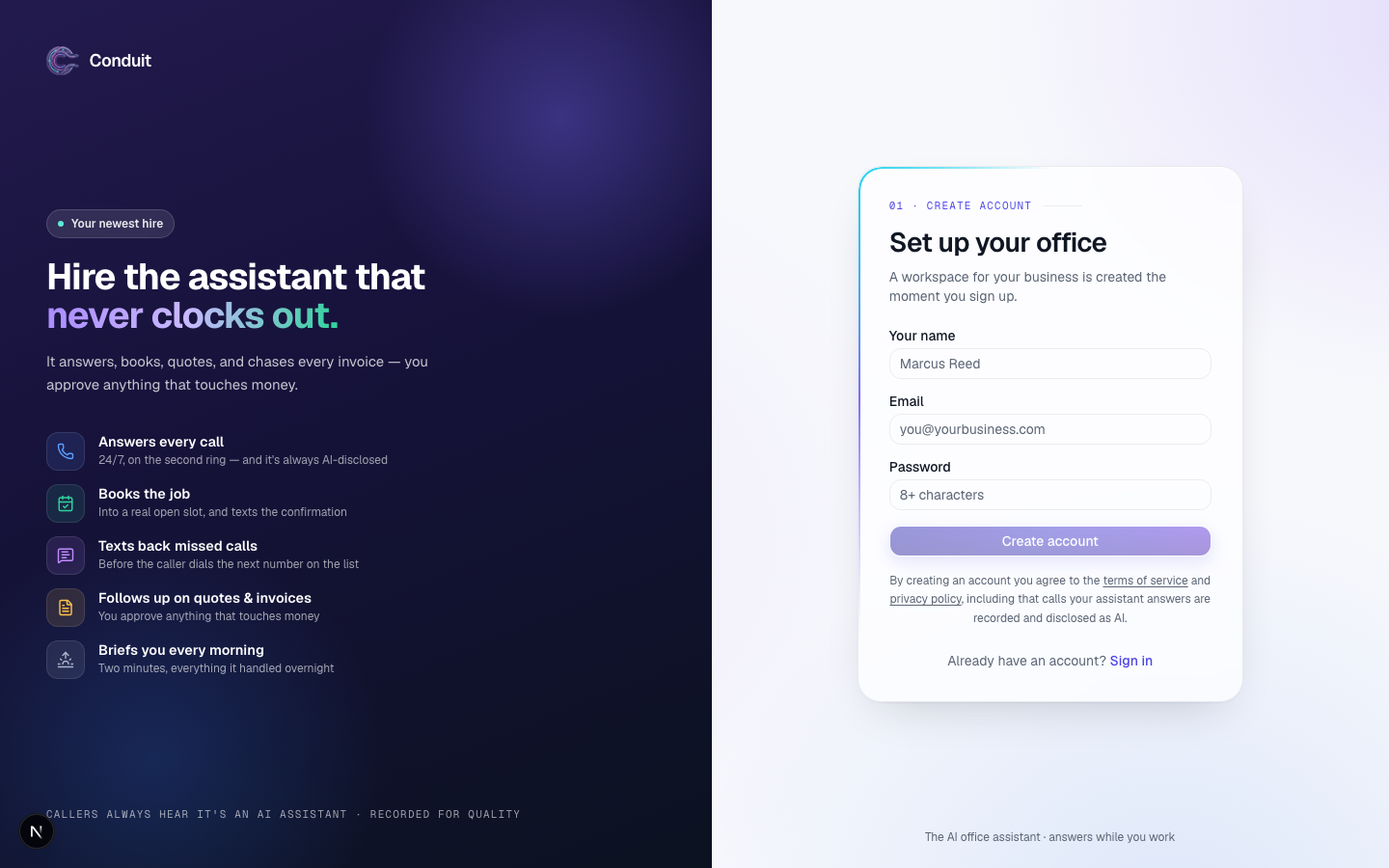
Go to the signup page and create an account with your name, email, and a password — or with Google. We send one verification email; click it and you're in.
How setup looks
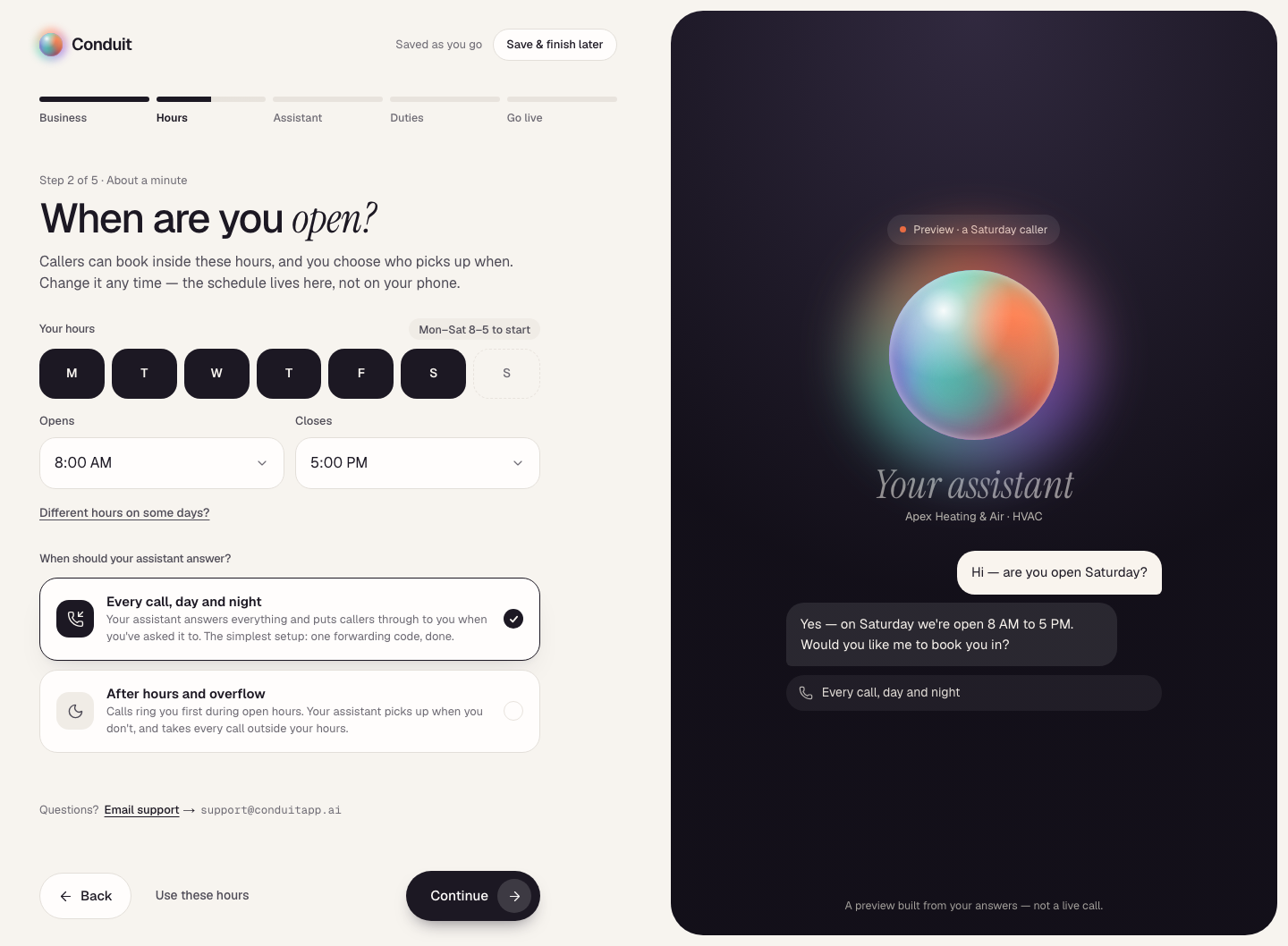
Setup is five screens, counted by the bar across the top: Business, Hours, Assistant, Duties, and Go live. Each one says which step it is and about how long it takes, and everything you enter is saved as you go — from screen 2 on, Save & finish later, at the top right, takes you to Home whenever you want to stop. On a wide screen, a dark preview on the right shows your assistant taking shape as you answer: the greeting callers will hear, a sample exchange, the duties it will run. It's a preview built from your answers, not a live call.
Screen 1 — Business
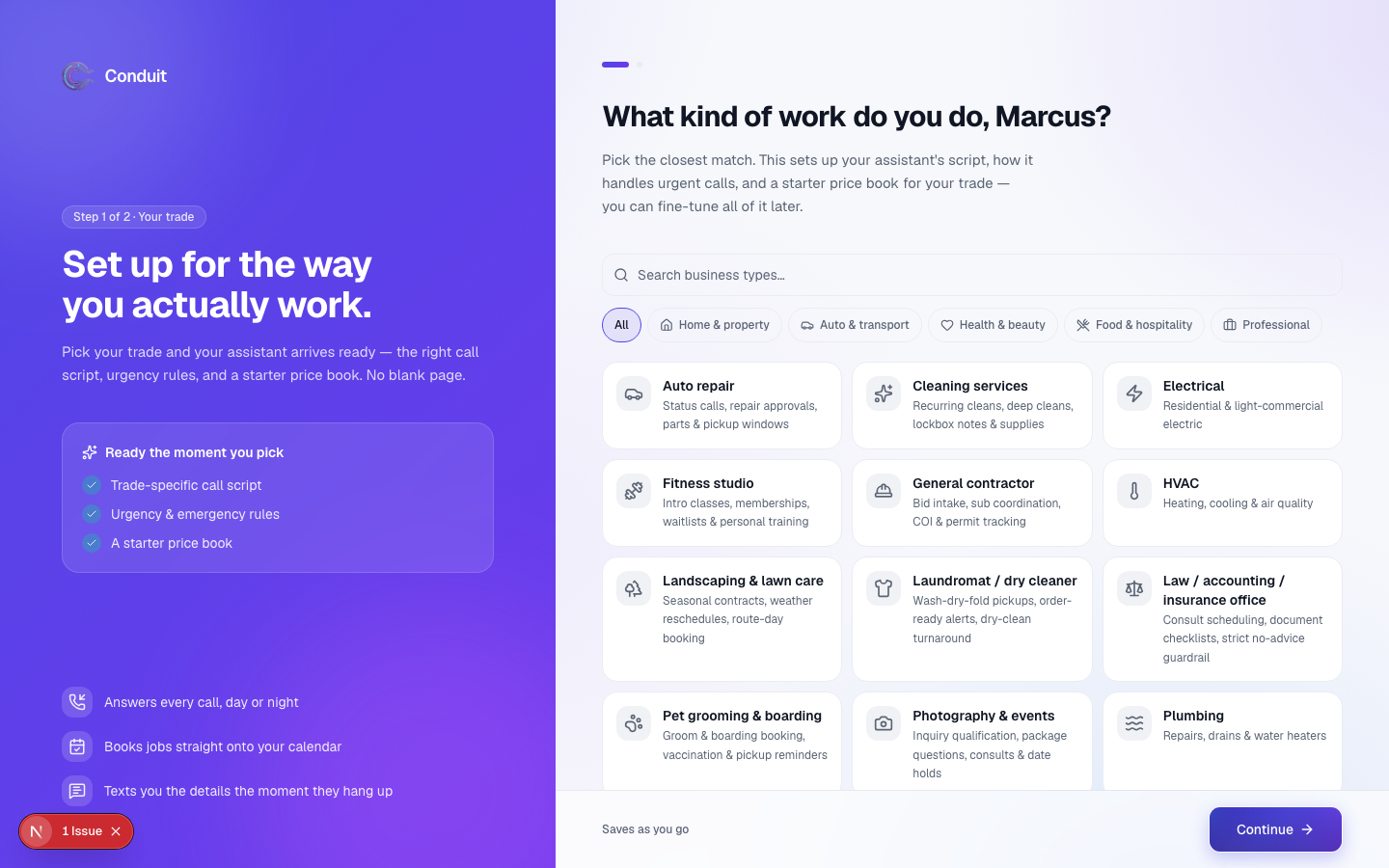
"Let's set up your front desk." Three things: your business name; What do you do? — the business type closest to yours, as a row of chips; and your website or Google listing (optional — if you give one, your assistant drafts your services, hours, and common questions from it in the background while you keep going). The business type gives your assistant a head start: what counts as an emergency, the common services and how long they take, the questions worth asking a caller. If nothing fits exactly, pick the closest — you can fine-tune everything after. A few types that aren't open yet are listed under Not open yet, with Request it. Under the website, a line shows the time zone your hours will run on, with change if it's wrong.
You won't be asked for your phone carrier here — that comes up when you connect your phone, after you're live. Your cell comes up on screen 4.
Screen 2 — Hours
"When are you open?" First your hours: tap the days you're open and set Opens and Closes (pre-filled from your website, or a weekday start you can change; Different hours on some days? sets each day on its own). Then When should your assistant answer?
- Every call, day and night — your assistant answers everything and puts callers through to you when you've asked it to. The simplest setup: one forwarding code, done.
- After hours and overflow — calls ring you first during open hours; your assistant picks up when you don't, and takes every call outside your hours.
Use these hours, beside Continue, keeps the hours shown; everything here is editable later in Settings.
What's next
Next you'll teach your assistant about your business — the services you offer and the questions customers ask most. That's step 2.
Common questions
Does it cost anything to sign up?
No. Creating your account and building your assistant is free, with no card. You pay only when you pick a plan and take your assistant live.
Will you email me if I don't finish setting up?
At most twice: about a day and about three days after you sign up, and only while your setup isn't finished. Each email names the screen you stopped on and links straight back to it. They stop the moment you go live, and the unsubscribe link at the bottom of either one stops them for good.
How long does setup take?
Setup is five short screens, and you can stop and come back any time: everything you enter is saved. Calls are live on your new number the same day you pick a plan. Texting switches on later, after a one-time carrier registration.
Related
- Getting around ConduitA quick map of Conduit: Home, Calls, Leads, Schedule, Inbox and your assistant down the left; search, the bell and your account across the top.
- Teach your assistant about your businessStep 2 of 6: review what the website scan found, add your services and the questions customers ask most — so it answers like someone who works there.
- Meet your assistant and pick a planStep 3 of 6: choose a name, voice, and personality, then pick Solo, Team, or Office and go live. You see the price before you pay.
Stuck? Write to a person.
Email support@conduitapp.ai — a real person reads every message. No ticket bots, no phone tree.