Building was free. This is where your assistant gets a name and a voice, and where it goes live.
Screen 3 — Assistant
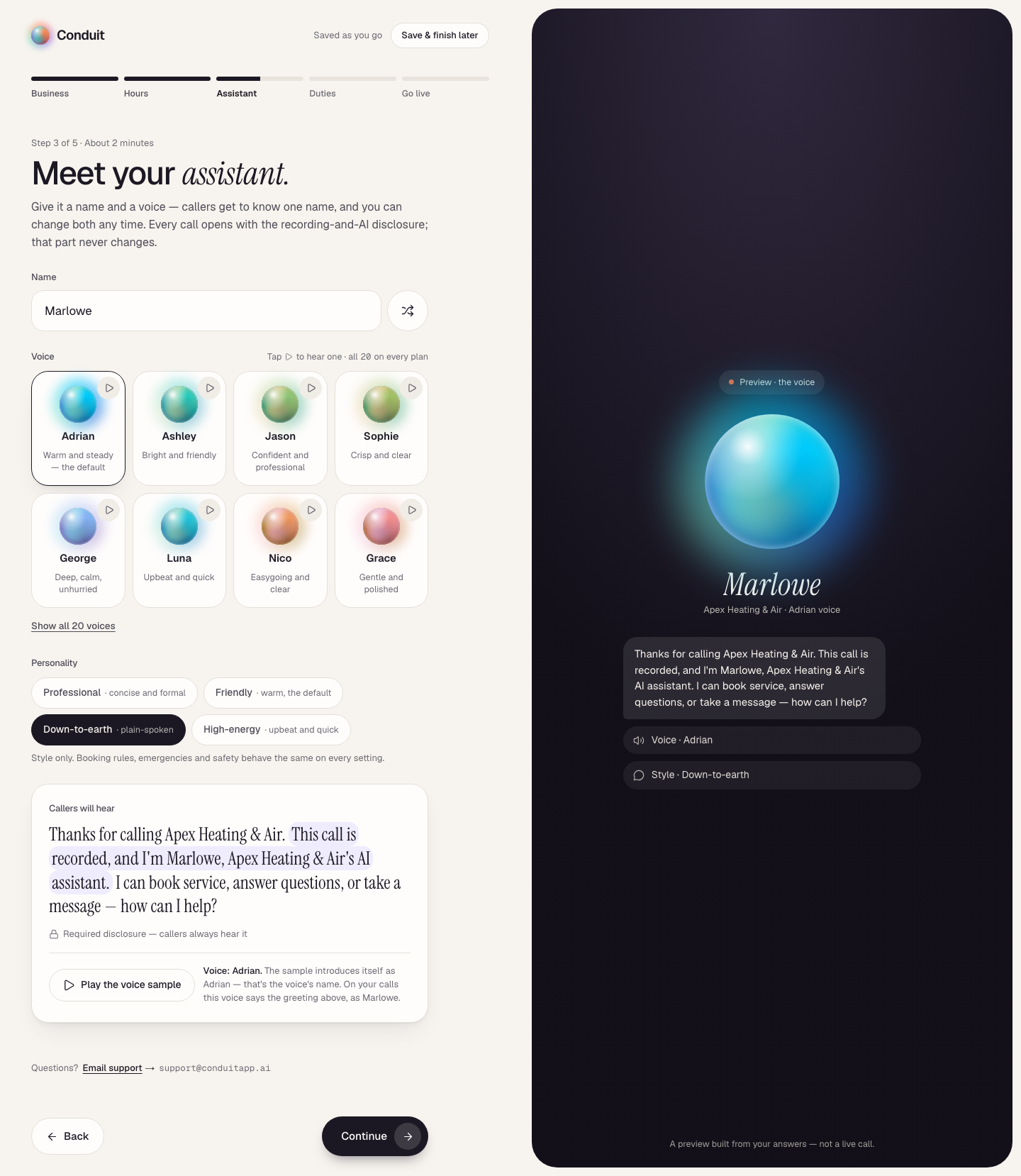
"Meet your assistant." Pick a name (the shuffle button suggests one, or type your own), a voice from the 20 in the catalog — tap the play button on any card to hear it, and Show all for the rest — and a personality: Professional, Friendly, Down-to-earth, or High-energy. Personality changes the style, never the rules. The screen also shows the one sentence your assistant will always say first: that the call is recorded and that it's your business's AI assistant, by name. That sentence is built in and can't be removed; it's the same on every voice.
Under Callers will hear, the greeting is written out in full, the disclosure marked Required disclosure — callers always hear it, and Play the voice sample plays the voice you picked. The sample introduces itself by the voice's name (for example "Hi, I'm Adrian") — that's the voice, not your assistant. On your calls the same voice says your greeting with the name you chose.
Screen 5 — Go live
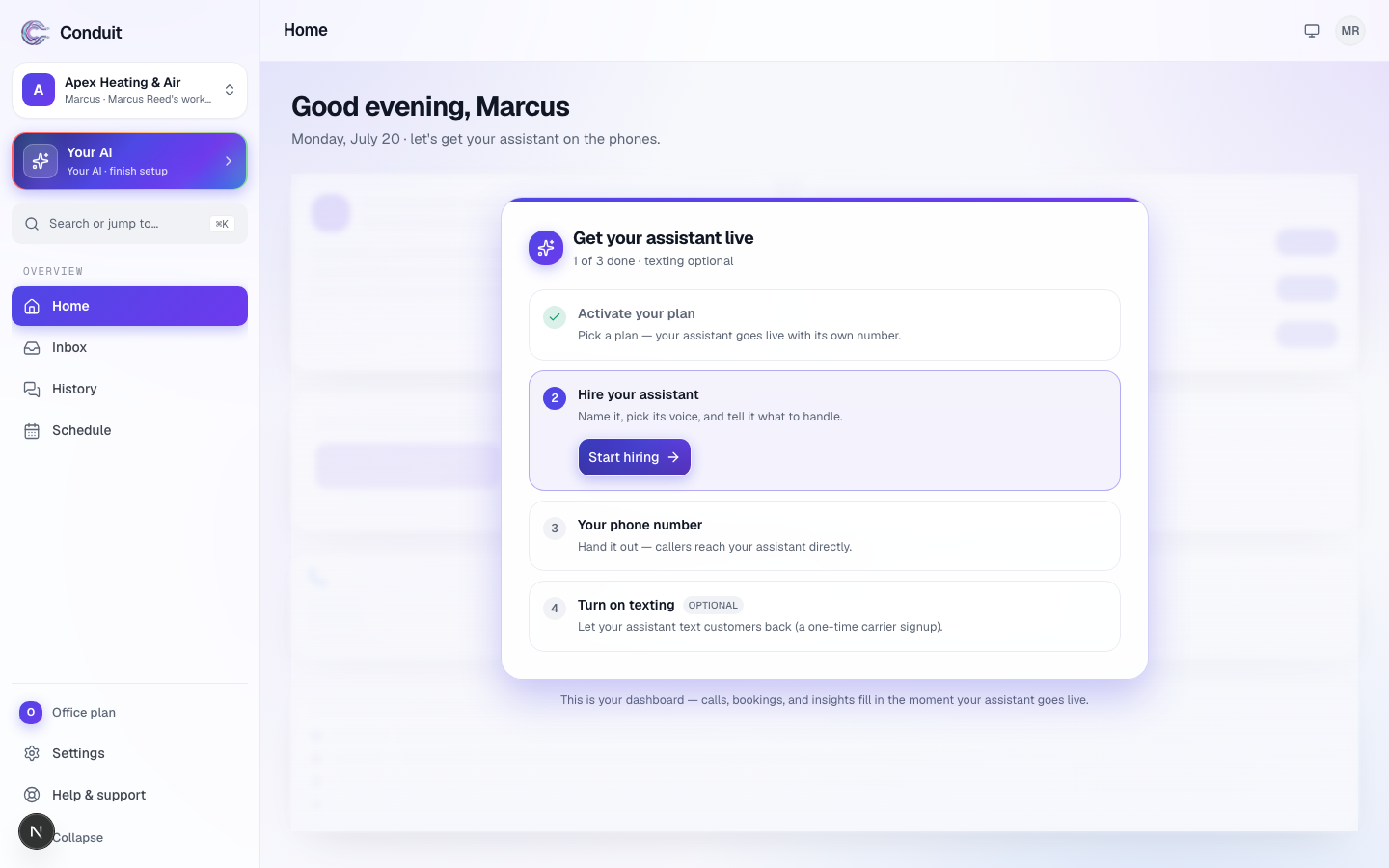
"Put your assistant on the phones." Your assistant's job description lists what it will do — its name and voice, when it answers, its duties, and its new local number — each line with a Change link back to the screen that set it. Under it, the three plans:
- Solo — $79/mo, 150 minutes and 300 texts a month, one location.
- Team — $149/mo, 350 minutes and 750 texts, one location.
- Office — $299/mo, 600 minutes and 1,500 texts, two locations.
Every plan gets the whole assistant. Pick by how many minutes you need — plans differ by minutes, texts, and locations, never by what it can do. Switch Monthly to Annual · pay for 10 months and you pay for ten months. The guarantee is marked beside that switch and spelled out in the agreement you tick before paying.
Activation is pay-first: tick the agreement under the plans, press Go live on your plan, and the price is confirmed before anything charges. If Conduit isn't right for you, cancel within 30 days of going live and your first payment is refunded in full. The guarantee covers your first subscription payment; minute and text packs aren't refundable. There are no overages — at your cap the assistant takes messages, never a surprise bill.
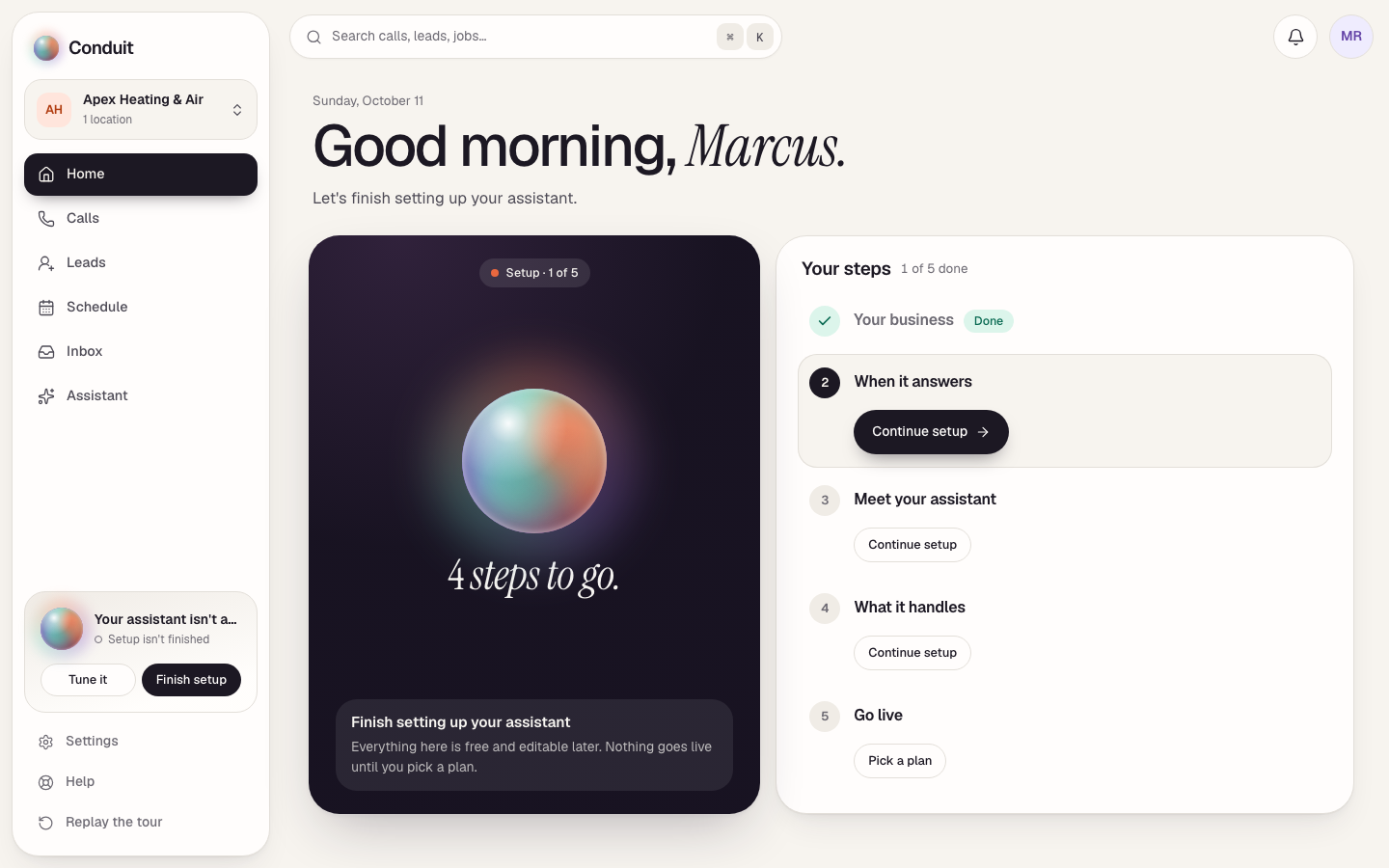
Payment runs on Stripe's checkout page; Conduit never sees your card number. Save & finish later sits at the top right of every setup screen from screen 2 on, if you're not ready — until you go live, Home shows your setup: a dark card counting the steps still to go, and Your steps, the five screens with what's done and the one next step (Continue setup, or Pick a plan on the last).
Right after payment
Your assistant is hired with the duties you chose and gets a local number (area code from your address; changeable). You'll see your assistant is live at its new number — call it now. Do: it's the fastest way to hear what your callers will hear.
What's next
Now connect your phone so the calls to your existing number reach your assistant — step 4.
Common questions
When am I charged?
At activation, on the last setup screen — the price is shown and confirmed before you pay. If Conduit isn't right for you, cancel within 30 days of going live and your first payment is refunded in full. The guarantee covers your first subscription payment; minute and text packs aren't refundable.
Do I get a phone number?
Yes. The moment your payment goes through, your assistant gets its own local number and you can call it. You can also keep your own number and forward it — see step 4.
Related
- Create your account and set up your businessStep 1 of 6: sign up free and tell Conduit about your business. Five setup screens, calls live the same day — you pay only when you go live.
- Getting around ConduitA quick map of Conduit: Home, Calls, Leads, Schedule, Inbox and your assistant down the left; search, the bell and your account across the top.
- Teach your assistant about your businessStep 2 of 6: review what the website scan found, add your services and the questions customers ask most — so it answers like someone who works there.
Stuck? Write to a person.
Email support@conduitapp.ai — a real person reads every message. No ticket bots, no phone tree.