Nothing builds confidence like hearing it work. Call your assistant's number from your own phone. It's set in big type at the top of the go-live screen (with Copy the number) and under Your number in Settings → Phone & texting. Once your assistant is live, Test call on its card near the bottom of the menu shows it too — so do Call (it carries the name) on your assistant's page and Make a test call in search.
What you'll hear
Your assistant answers with a short greeting that says the call is recorded and that it's an AI assistant. Then talk to it like a customer would: ask about a service, ask what it costs (it won't say — it'll offer to book a visit instead), try to book a time.
Watch it land
Hang up and open Calls. The call is there within seconds, tagged as a test, with its recording, the full conversation, and what your assistant did — booked, took a message, screened as spam. Open it and listen back.
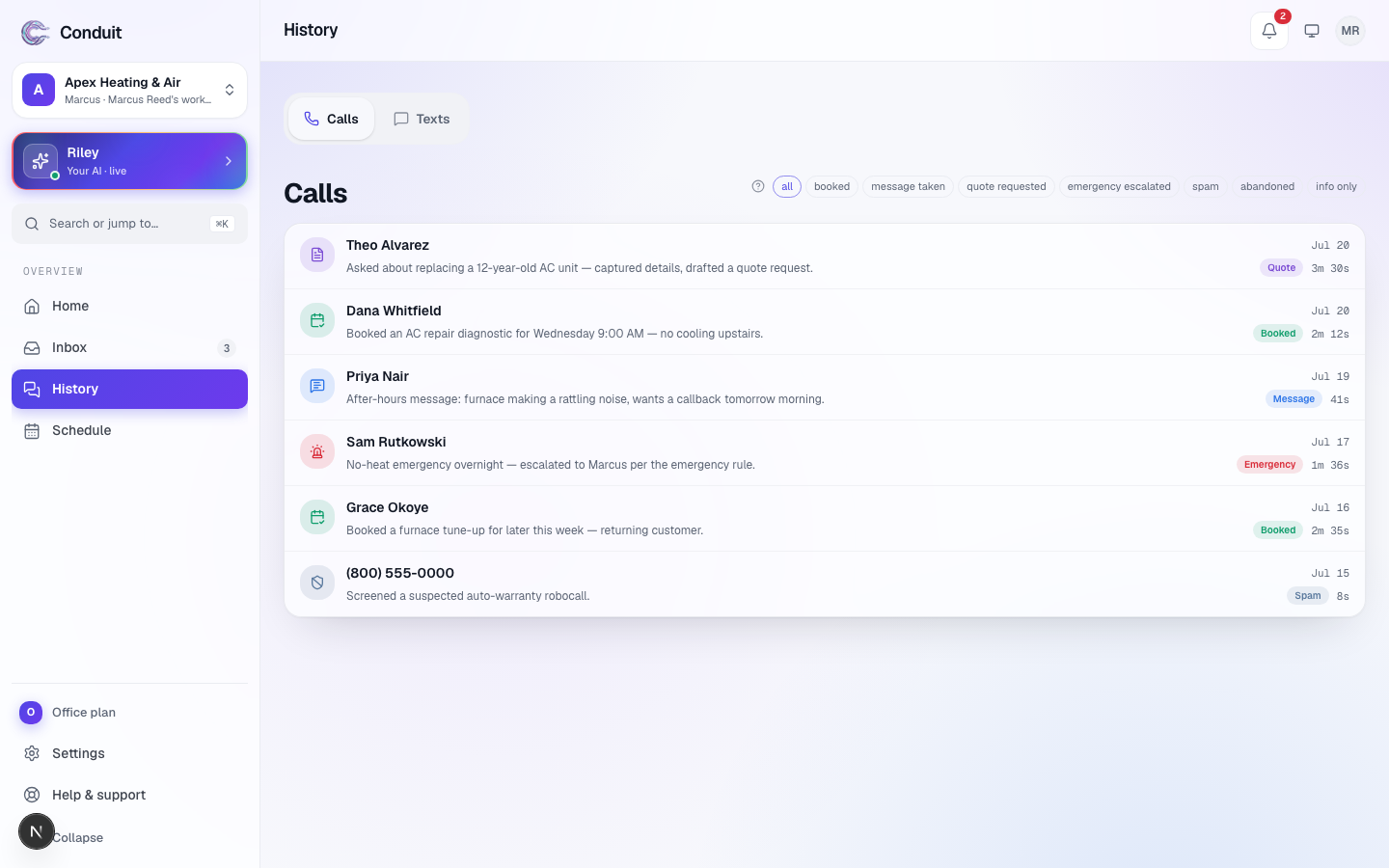
A test call is a real call: it uses your plan's minutes like any other, shows up tagged as a test, and stays out of your customer stats. Do a couple — one booking, one plain question.
What's next
Last step: go live and settle into your daily rhythm — step 6.
Common questions
Why does it announce it's an AI and recording the call?
By principle and by the recording laws of many states. The sentence is machine-added and can't be removed — it protects you and your callers, and it's the same on every voice and personality.
Does a test call use my minutes?
Yes. A test call is a real call and counts like one; it's marked as a test in Calls and kept out of your customer stats.
Related
- Create your account and set up your businessStep 1 of 6: sign up free and tell Conduit about your business. Five setup screens, calls live the same day — you pay only when you go live.
- Getting around ConduitA quick map of Conduit: Home, Calls, Leads, Schedule, Inbox and your assistant down the left; search, the bell and your account across the top.
- Teach your assistant about your businessStep 2 of 6: review what the website scan found, add your services and the questions customers ask most — so it answers like someone who works there.
Stuck? Write to a person.
Email support@conduitapp.ai — a real person reads every message. No ticket bots, no phone tree.