You're live. Here's how the day-to-day works — it's calmer than you'd think.
Finish the list on Home
Until a forwarded call comes through, Home lists what's left: Send your calls to your assistant, Verify your cell, and — optional — Turn on texting. None of it blocks calls to your assistant's own number. Once your calls are reaching it, the list folds down to one teal pill under the greeting — "Calls are reaching" your assistant, by name — and Home becomes your day at a glance.
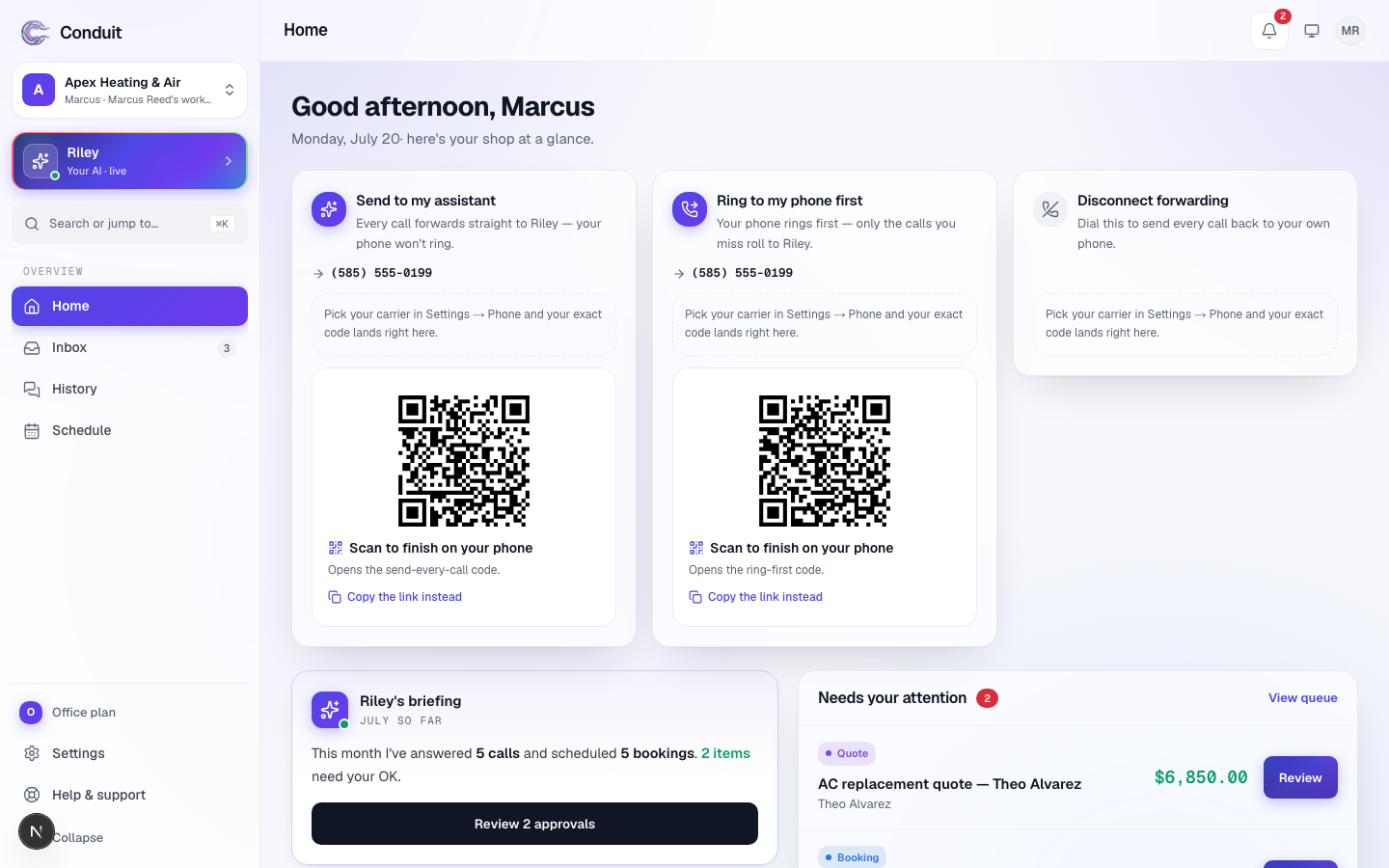
Turn on texting lives in Settings → Phone & texting (Home's list links to it). It takes about five minutes to fill in; then the carriers review your business's registration, which typically takes 1–3 weeks and sometimes longer. Until it clears, your assistant answers every call and sends confirmations by email; the moment it clears, texting switches on by itself. Details in business texting approval.
The daily rhythm
- Morning briefing — every morning, one short note: calls answered, bookings made, messages taken, leads written down, and the short list that needs you.
- Calls — every call with its recording, transcript, and outcome, filterable by outcome. Press Texts, beside Calls, for your text conversations.
- Leads — everyone who called with work, what they needed, and where it stands.
- Schedule — your week; open a booking to update its status, reschedule it, or cancel it. With Google Calendar connected, bookings land on your calendar and your own busy times block those slots.
- Inbox — everything your assistant wrote down for you, once. Email, text, and push are copies of the same thing.
Anything your assistant holds for your OK — a follow-up booking to confirm, a suspicious repeat booking — shows under Needs you on Home, with Approve and Deny right on the card.
When you need us
Open Help, at the bottom of the menu (on a phone, under More), any time to search these guides, take the tour again, or email a real person at support@conduitapp.ai. That's getting support.
That's the whole tour. Your assistant has the front desk now.
Related
- Create your account and set up your businessStep 1 of 6: sign up free and tell Conduit about your business. Five setup screens, calls live the same day — you pay only when you go live.
- Getting around ConduitA quick map of Conduit: Home, Calls, Leads, Schedule, Inbox and your assistant down the left; search, the bell and your account across the top.
- Teach your assistant about your businessStep 2 of 6: review what the website scan found, add your services and the questions customers ask most — so it answers like someone who works there.
Stuck? Write to a person.
Email support@conduitapp.ai — a real person reads every message. No ticket bots, no phone tree.